Offline music player for Windows
Your Music. Your Way.
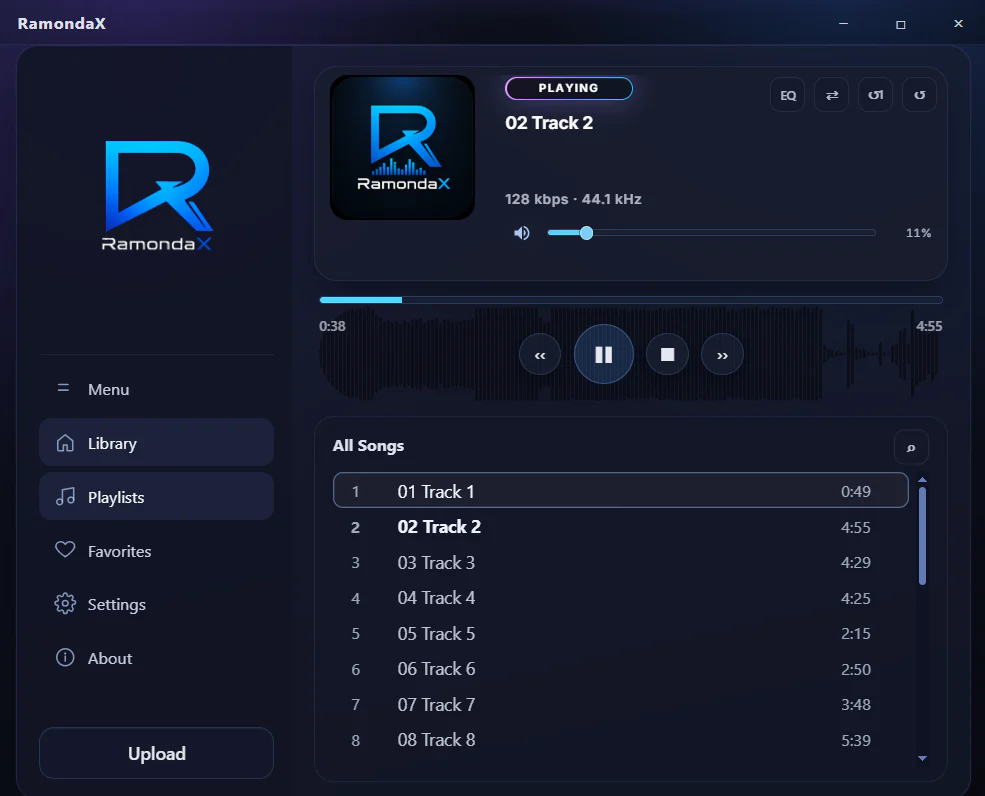
A lightweight offline music player for your local MP3 and WAV collection, with playlists, a waveform seek bar and a 10-band equalizer.
- Windows 10 & 11
- Works offline
- No account required
Features
Play Your Music
Your local MP3 and WAV library, beautifully organized.
Shape Your Sound
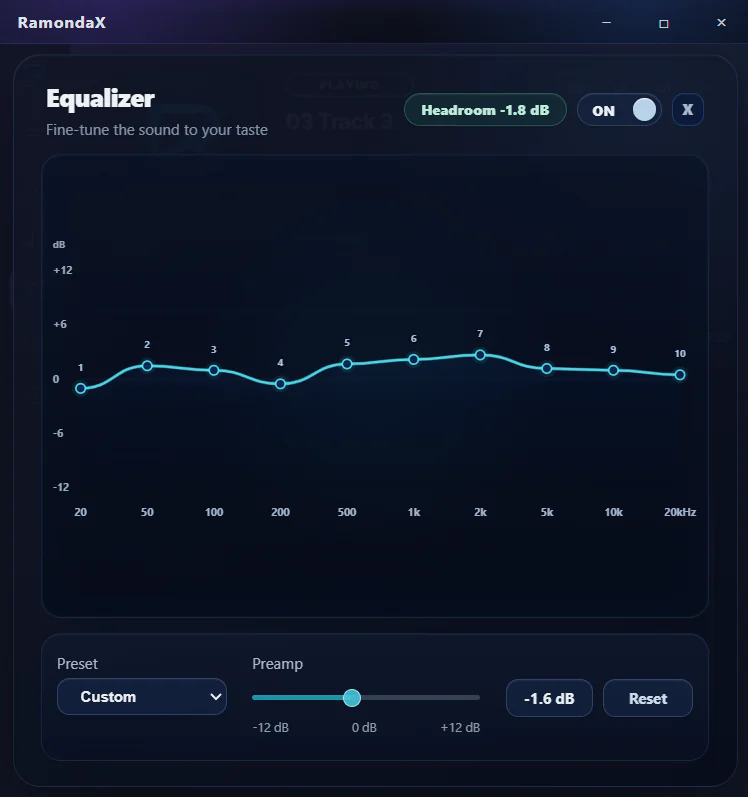
Built-in 10-band equalizer for a richer listening experience.
Organize Easily
Playlists, favorites and quick search.
Fast & Lightweight
High performance and low resource usage.

Clean. Modern. Focused.
A player that lets the music lead.
- Modern UI
- Smooth playback
- Local library first
Sound
Shape every detail of your sound.
A modern linear equalizer with presets, a preamp and headroom feedback gives you precise control, while bitrate and sample rate stay visible for every track.
- 10 bands
- From 20 Hz to 20 kHz
- ±12 dB
- Preamp with headroom indicator
- Presets
- Or shape your own custom curve
- WASAPI
- Output to the playback device you choose
Screenshots
Explore the interface and see RamondaX in action.
Select a screenshot to view it full size.
Built for Windows
Feels right at home on your desktop.
RamondaX works with the Windows features you already use, so your music is always within reach.
Windows media controls
Track info, artwork and playback controls right in the Windows media overlay.
Taskbar controls
Play, pause and skip from the taskbar, with playback progress.
Default player for MP3 & WAV
Open your music straight from File Explorer with file associations.
Picks up where you left off
Restores your last track, playback position and volume on startup.
Session recovery
Detects unexpected shutdowns and preserves your local data where possible.
Diagnostics on your terms
Create a diagnostics ZIP locally and share it only if you choose.
Your library stays yours.
RamondaX is a local music player. Your music files, library, playlists and favorites stay on your device.
- No account or cloud library
- No analytics or advertising SDKs
- No internet needed for playback
FAQ
Questions, answered.
Can’t find what you’re looking for? Contact support
Do I need an account to use RamondaX?
No. RamondaX does not require an account, cloud library or subscription for normal playback.
Does RamondaX upload my music?
No. Your music files, library, playlists, favorites and playback history stay on your device and are not uploaded to RamondaX servers.
Which audio formats can I play?
RamondaX plays MP3 and WAV files from your local library, and you can make it the default player for both formats in Windows.
Does it work offline?
Yes. RamondaX does not need an internet connection for local music playback.
Which versions of Windows are supported?
RamondaX is designed for Windows 10 and Windows 11.
How do I get help?
Send us a message through the Support page and we’ll reply by email. If something goes wrong, you can also create a diagnostics ZIP from Settings and share it with us if you choose.

Your music deserves a better player.
Bring your local library to life with a player designed for sound, clarity and atmosphere.
RamondaX is coming soon to the Microsoft Store. Questions? Contact support
- Windows 10 & 11
- MP3 & WAV
- Works offline
- No account required
ramondax.com